

Pricing


Exploratory testing uncovers usability issues, edge cases, and business logic gaps automation misses. Learn techniques, benefits, and modern practices.
Exploratory testing is the practice of simultaneously learning about software, designing tests, and executing validation in an unscripted, investigative approach. While automated regression testing validates known scenarios, exploratory testing discovers the unknown: edge cases, usability issues, integration gaps, and business logic flaws that scripted tests miss.
For enterprises running SAP, Oracle, Salesforce, or complex custom applications, exploratory testing represents the critical human intelligence layer that catches what automation cannot. AI-native platforms now amplify exploratory testing effectiveness by autonomously generating test scenarios from application analysis, providing intelligent test suggestions, and accelerating the transition from exploration to automation.
Exploratory testing is an approach where testers simultaneously learn the application, design tests, and execute them without following predetermined test scripts. It's investigation-driven testing that relies on tester creativity, domain knowledge, and intuition to uncover defects.
Unlike scripted testing where test cases are written before execution, exploratory testing is dynamic. Testers make real-time decisions about what to test next based on what they're discovering. When a tester finds unexpected behavior, they immediately pivot to investigate deeper. When they notice an unusual state, they explore variations to understand boundaries.
This adaptive approach mirrors how real users interact with software: not following scripts, but pursuing goals and adapting behavior based on what the application reveals.
Exploratory testing and test automation are not competing approaches. They're complementary strategies that serve different purposes. Automation excels at repeatable validation of known scenarios. Exploration excels at discovering unknown issues and validating human experience.
High-performing QA organizations invest in both. They automate regression testing to free resources for exploratory work. They use exploratory testing to discover scenarios worth automating. The cycle reinforces: automate the known, explore the unknown, automate new discoveries.
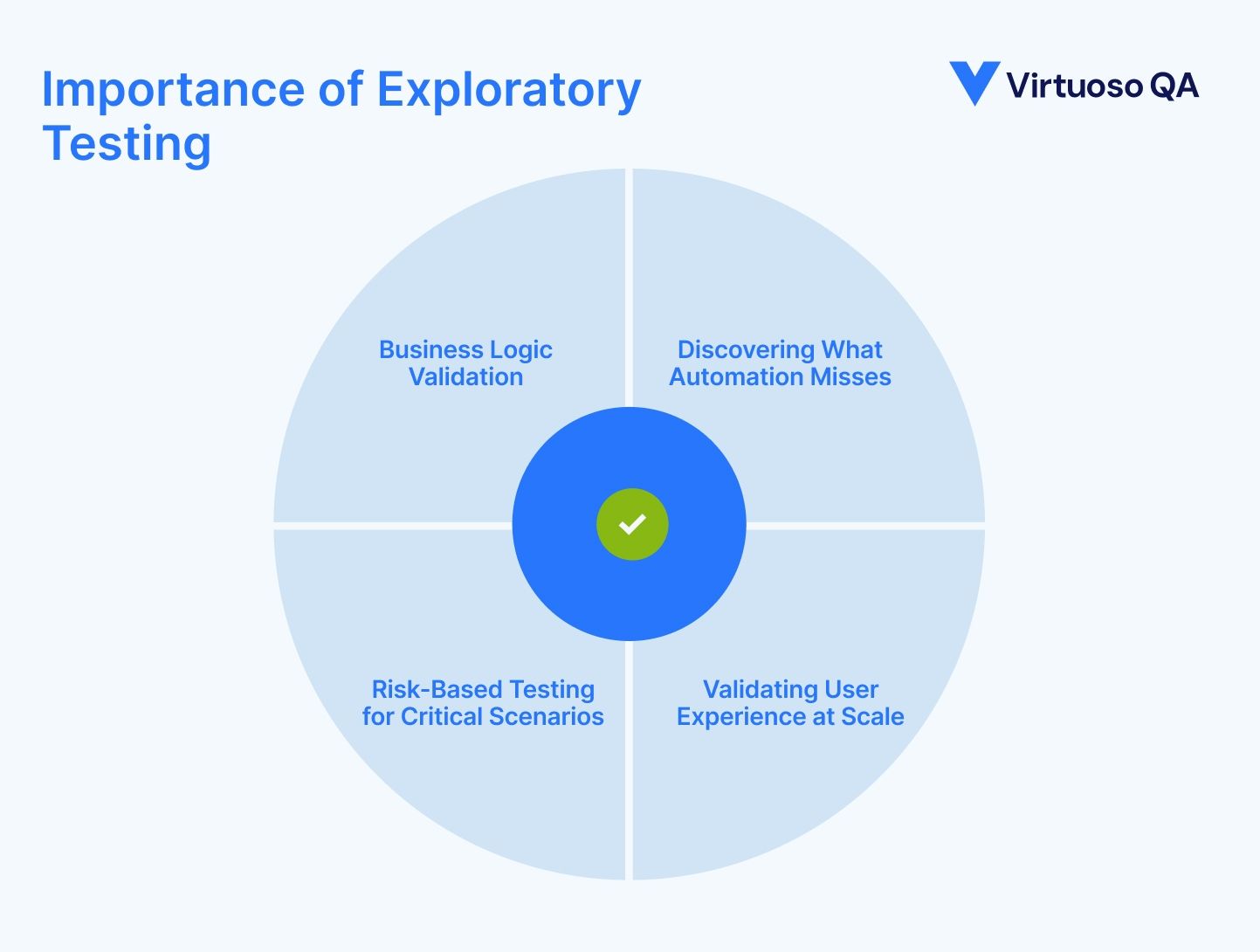
Automated tests validate expectations. If you expect the submit button to save data, you write a test that clicks submit and checks database records. But what if the real issue is that the submit button is invisible to colorblind users? Or that submission fails when the user's network briefly disconnects? Or that the success message appears in a language the user doesn't understand?
Exploratory testing catches these gaps. Skilled testers notice usability problems, discover edge cases, identify integration issues, and validate workflows from user perspectives that scripted tests don't consider.
For a hospital implementing Epic EHR, automated tests might validate that patient records save correctly. Exploratory testing discovers that the nurse's typical workflow requires switching between four different screens to complete intake, making the process frustratingly slow and error-prone. No automated test would catch this usability issue.
Enterprise applications contain complex business rules that interact in unpredictable ways. Discount calculations, approval workflows, inventory allocations, and pricing rules combine to create scenarios that requirements documents never anticipated.
Exploratory testing validates business logic in context. Testers with domain expertise recognize when calculations are wrong, workflows are illogical, or system behavior contradicts business reality. An automated test might confirm that a discount applies, but only an exploratory tester realizes the discount should not apply when combined with a promotional price.
User experience issues are subjective and contextual. Is this workflow intuitive? Does this error message help users recover? Can someone accomplish their goal efficiently? Automated tests struggle with these questions. Human testers excel at them.
For global enterprises deploying systems across regions, cultures, and user populations, exploratory testing validates that software actually works for diverse user groups. What makes sense to developers in London might confuse users in Mumbai. Exploratory testing surfaces these localization and usability gaps.
When enterprises deploy updates to production systems handling millions in daily transactions, risk is high. Comprehensive automated regression testing provides confidence in known functionality, but exploratory testing targets the highest-risk areas with human intelligence.
Experienced testers explore the features most likely to fail, the integrations most brittle, and the workflows most critical to business operations. This risk-based exploratory testing acts as a safety net catching critical issues automation might miss.
Exploratory testing is time-intensive. While automated tests execute in minutes, thorough exploratory testing requires hours or days. For enterprises facing aggressive release schedules, finding time for exploratory testing becomes difficult.
Teams default to minimal exploratory testing or skip it entirely, relying solely on automation. This creates risk: the unknown issues that only exploration would discover slip into production.
Effective exploratory testing requires deep domain knowledge, technical understanding, and testing intuition. Not all testers possess these skills. Junior testers struggle to know what to explore or how to recognize significant issues from minor anomalies.
Organizations dependent on offshore testing resources or contractors face additional challenges. Without deep business context, exploratory testers miss the subtle issues that only subject matter experts would notice.
Exploratory testing produces valuable insights but often lacks documentation. Testers discover issues but can't always reproduce them reliably. Defect reports become vague: "the system behaved oddly when I did several actions in sequence."
This documentation gap creates frustration for developers who can't reproduce issues and makes it difficult to convert exploratory findings into automated regression tests.
How do you know if exploratory testing was comprehensive enough? Unlike automated test suites with measurable coverage metrics, exploratory testing effectiveness is subjective. Did the tester explore enough scenarios? Did they miss critical areas?
This uncertainty makes it difficult to determine when exploratory testing is complete or to demonstrate coverage for compliance requirements.

Session-Based Test Management (SBTM) brings structure to exploratory testing without eliminating its adaptive nature.
SBTM organizes exploratory testing into time-boxed sessions with defined charters. A charter specifies what to explore: "Explore order processing workflow focusing on edge cases around inventory allocation." Sessions typically last 60 to 120 minutes, creating manageable, measurable units of exploratory work.
After each session, testers document what they explored, what they discovered, and what issues they found. This creates a structured record of exploratory testing while preserving investigation freedom during sessions.
SBTM makes exploratory testing measurable. Managers can track how many sessions completed, which areas were explored, and what coverage was achieved. This visibility satisfies stakeholders who need evidence that exploratory testing happened comprehensively.
SBTM also improves reproducibility. Session notes document the exploration path, making it easier to reproduce discovered issues or revisit areas for deeper investigation.
For distributed teams, SBTM enables coordination. Multiple testers can explore different charters simultaneously without duplication, and session debriefs share discoveries across the team.
Effective charters balance focus and freedom. Too narrow ("Test the submit button") limits discovery. Too broad ("Test the order system") provides insufficient direction.
Strong charters for enterprise applications target specific risks: "Explore multi-currency transactions focusing on rounding and currency conversion edge cases" or "Investigate approval workflow behavior when approvers are unavailable due to vacation or organizational changes."
Artificial intelligence augments exploratory testing by analyzing applications to suggest test scenarios, autonomously generating exploratory test coverage, and accelerating the transition from manual exploration to automated validation.
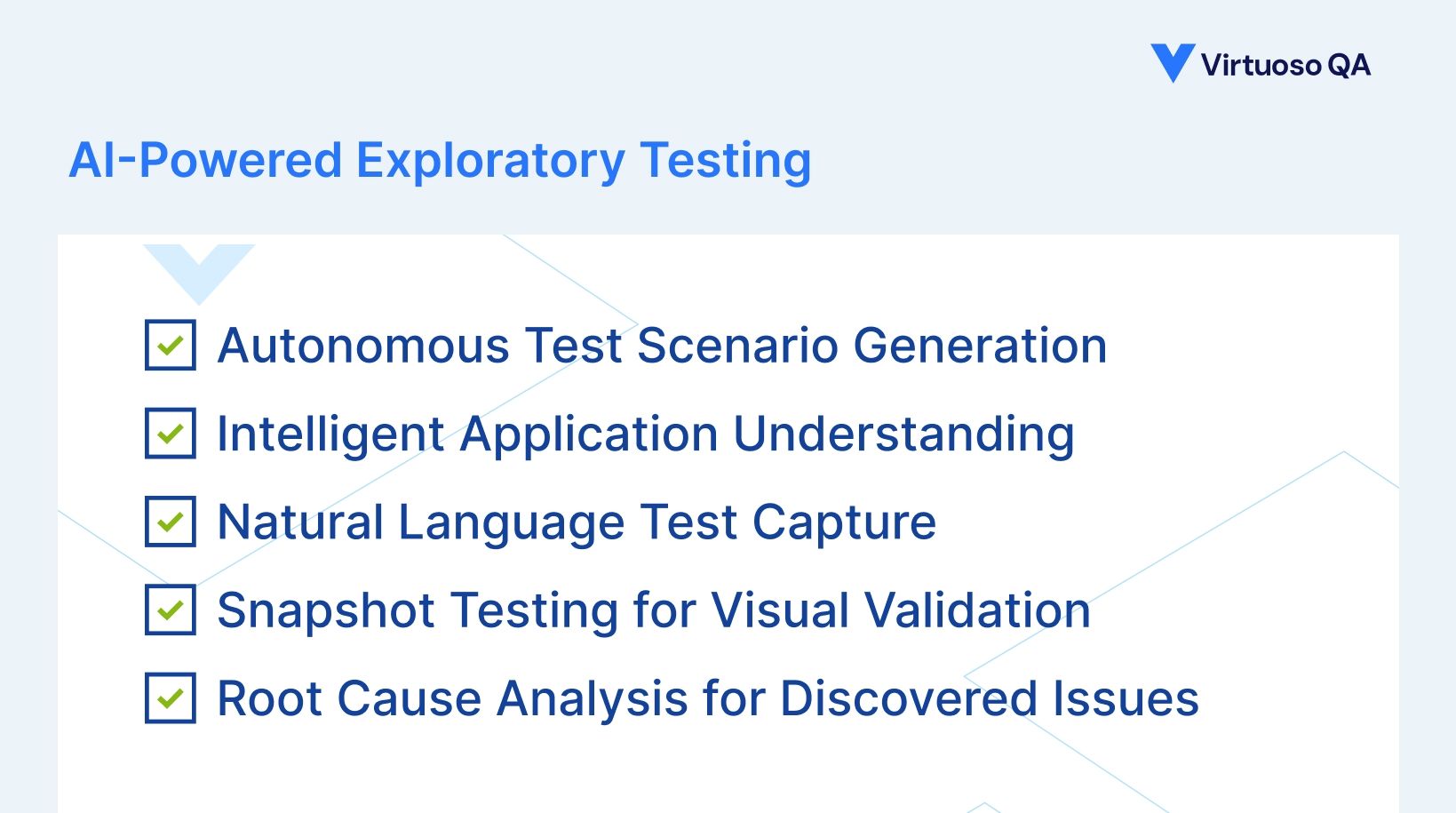
AI platforms can analyze application structure and autonomously generate exploratory test scenarios that testers might not consider. By examining UI elements, API endpoints, database schemas, and user behavior patterns, AI identifies interesting test cases worth exploring.
This AI-generated exploration guidance helps testers discover edge cases and integration scenarios they might otherwise miss. The AI suggests: "This workflow allows users to upload files. Have you tested with zero-byte files? Unicode filenames? Files exceeding the stated size limit?"
Large language models can analyze application screens and understand functionality without pre-existing documentation. Point an AI at your SAP transaction or Salesforce page, and it recognizes business objects, understands workflows, and infers validation requirements.
This capability accelerates exploratory testing for complex enterprise applications where documentation is incomplete or outdated. Testers gain instant understanding of application areas they're exploring for the first time.
AI platforms using Natural Language Programming allow testers to capture exploratory test sessions as they explore. As testers navigate applications and validate behaviors, they describe actions in plain English: "Verify that canceling an order refunds the payment and restores inventory."
The AI converts these natural language descriptions into executable automated tests. Exploratory testing sessions naturally produce regression test coverage without separate automation work. The valuable scenarios discovered during exploration automatically become part of the automated test suite.
AI-powered snapshot testing captures visual states of applications during exploratory sessions. When testers discover interesting scenarios, the AI captures screenshots, DOM snapshots, and visual baselines automatically.
Future test executions compare against these captured states, detecting unexpected visual changes. Exploratory testing produces visual regression coverage as a byproduct of investigation work.
When exploratory testing uncovers defects, AI root cause analysis accelerates investigation. The AI examines failure evidence: network logs, console errors, database states, and UI screenshots. It correlates this evidence to identify likely causes.
This speeds the debugging cycle from exploratory discovery to developer fix, making exploratory testing more valuable to the organization.
Effective enterprise QA strategies combine exploratory and scripted approaches strategically.
Leading organizations often follow a 70-20-10 model: 70% automated regression testing, 20% risk-based exploratory testing, 10% automated performance and specialized testing.
This model ensures comprehensive automated coverage for known scenarios while preserving sufficient capacity for exploratory work that discovers new issues.
Not every exploratory test scenario needs automation, but valuable discoveries should be. When exploratory testing uncovers critical bugs, complex edge cases, or frequently-used workflows, those scenarios become candidates for automated regression coverage.
AI platforms that capture exploratory sessions in natural language make this conversion effortless. The exploratory work automatically becomes automation without rework.
Effective exploratory testing requires business context. Invest in building domain knowledge within QA teams. Testers should understand business processes, user goals, and industry context for the applications they test.
Pairing testers with subject matter experts during exploratory sessions transfers knowledge and improves test quality. A QA engineer paired with an accounts payable specialist explores invoice workflows with insights no solo tester could match.
Focus exploratory testing on highest-risk areas: complex business logic, frequently-changing features, integration points, security-sensitive workflows, and compliance-critical functionality.
Not all features deserve equal exploratory attention. Allocate resources where undiscovered defects would cause the most damage.
Create reusable exploration charters based on common patterns. For ERP systems: explore master data workflows, explore transaction processing under load, explore report generation with edge-case data. For CRM systems: explore lead conversion workflows, explore data synchronization across modules, explore permission-based access controls.
Documented patterns accelerate onboarding of new testers and ensure consistent coverage across releases.
Track metrics that demonstrate exploratory testing value: defects discovered per session, defect severity distribution, time from discovery to fix, and production defect escape rates.
Compare defect discovery rates between exploratory and scripted testing to justify continued investment in exploration.
Virtuoso QA is the only AI-native test platform that seamlessly bridges exploratory testing and test automation, enabling testers to explore freely while automatically building regression coverage.
Virtuoso QA's Generator analyzes application screens and autonomously generates exploratory and functional test coverage. Point Generator at your SAP interface, Salesforce page, or custom application, and it creates comprehensive test scenarios exploring workflows, validations, and edge cases.
This AI-powered exploration accelerates coverage in several ways. For legacy systems lacking documentation, Generator discovers functionality by analyzing UI structure and inferring business logic. For new implementations, Generator creates exploratory test coverage before manual testers even begin sessions. For digital transformations, Generator validates that migrated applications maintain functional parity with legacy systems.
Virtuoso QA's Natural Language Programming allows testers to capture exploratory testing in plain English as they explore. Testers describe actions and validations naturally: "Verify that manager approval routes correctly when the assigned manager is out of office."
This natural language capture transforms exploratory work into executable automated tests without separate scripting effort. The scenarios discovered during exploration automatically become regression tests, maximizing the ROI of exploratory testing investment.
StepIQ analyzes applications and suggests relevant test steps as testers explore. When navigating a workflow, StepIQ recommends actions worth investigating: "Consider testing with invalid input formats" or "Explore behavior when required fields are empty."
These AI-generated suggestions guide exploratory testing toward edge cases and integration scenarios testers might not consider independently. StepIQ acts as an intelligent pair testing partner that never gets tired.
Virtuoso QA's snapshot testing automatically captures visual states during exploratory sessions. When testers discover interesting scenarios, visual baselines are captured automatically.
These snapshots become ongoing visual regression tests. Future executions detect unexpected changes, catching visual issues that functional tests miss. Exploratory testing naturally produces visual test coverage.
When exploratory testing discovers defects, Virtuoso QA's AI Root Cause Analysis examines failure evidence across UI screenshots, network requests, console logs, and database states. The AI identifies likely failure causes, accelerating the path from discovery to developer fix.
This makes exploratory testing more valuable to the organization. Instead of testers spending time debugging and documenting complex reproduction steps, AI analysis provides developers with actionable intelligence immediately.

Exploratory testing is evolving from purely manual investigation to AI-augmented discovery where human intelligence and artificial intelligence collaborate.
Future platforms will analyze test coverage, code changes, and risk patterns to dynamically recommend exploration areas. The AI will tell testers: "These three features changed this sprint and have no exploratory coverage. Here are suggested charters prioritized by risk."
AI agents will conduct autonomous exploratory testing in parallel with human testers. These agents will navigate applications, identify anomalies, discover edge cases, and flag issues for human review. They won't replace human exploratory testers but will dramatically expand coverage.
Exploratory testing will extend beyond pre-production environments. AI-powered exploration will monitor production systems, automatically testing new feature combinations, validating workflows with real data patterns, and discovering issues before users report them.
The boundary between human and AI exploration will blur. Testers will explore with AI assistance that suggests scenarios, generates test data, analyzes results, and automates discovered workflows. The collaboration will achieve coverage neither humans nor AI could accomplish independently.
Exploratory testing is structured investigation with learning objectives and session charters. Ad hoc testing is unstructured, unplanned testing without clear goals. Exploratory testing is systematic; ad hoc testing is random.
Use exploratory testing for new feature validation, major system changes, critical business workflows, user-reported issue investigation, usability validation, and anywhere human intuition and creativity add value beyond scripted test cases.
Traditional exploratory testing cannot be fully automated because it relies on human creativity and real-time decision-making. However, AI platforms can augment exploratory testing by autonomously generating test scenarios, suggesting exploration paths, and automatically converting exploratory sessions into automated regression tests.
Document exploratory testing using session notes that capture exploration charters, time invested, areas covered, issues discovered, and blockers encountered. AI platforms can automatically capture exploratory sessions as natural language test descriptions, eliminating manual documentation burden.
Effective exploratory testers need domain knowledge of the business area, technical understanding of application architecture, testing intuition to recognize significant issues, creative problem-solving to discover edge cases, and systematic thinking to ensure comprehensive coverage.
Leading organizations follow a 70-20-10 model: 70% automated regression testing, 20% risk-based exploratory testing, 10% specialized testing. Adjust ratios based on application maturity, release velocity, and risk tolerance.
AI improves exploratory testing through autonomous test scenario generation from application analysis, intelligent test step suggestions that guide exploration, natural language capture that converts exploration into automation, snapshot testing for visual validation, and root cause analysis that accelerates defect investigation.
Yes, business users are often the most effective exploratory testers because they understand workflows, recognize incorrect business logic, and validate usability from real user perspectives. AI platforms using natural language interfaces make it easy for non-technical users to participate in structured exploratory testing.
Exploratory testing discovers new scenarios and issues. Regression testing validates that known scenarios continue working correctly. Effective QA combines both: explore to discover, automate to remember. Scenarios discovered during exploration become automated regression tests.
